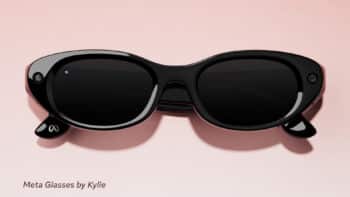

Online as in a shop window, the image comes before the words: it is what the customer studies, what reassures them or cheapens a frame chosen with care. Yet eyewear is one of the hardest objects to photograph — lens and material bounce light in different ways. This is the practical guide to eyewear photography for e-commerce and beyond: the criteria, the hard numbers and the right trade-offs, use by use — and, at the end, how a real production unfolds, seen from the brand's side.
Why eyewear is a special case
A pair stacks up the traps. Lenses reflect and distort light; translucent acetate plays with transparency; metal catches highlights; proportions must stay legible even though the object is made for a face. Add the demand for fidelity: a wrong lens tint or a "flat" acetate betrays the product — and, in e-commerce, breeds doubt and returns. Photography is not a decorative line item: it is a direct lever on conversion and on perceived quality.
What a good eyewear photo must convey
The material
Render the depth of a translucent acetate, the polish or brushing of a metal, without flattening them. Test: you should recognise the material on screen without a caption.
Colour: fidelity and interpretation
Colour works on two registers. On the product page it must be faithful — it is a commercial promise. In practice that fidelity rests not on a lab figure but on a photographer who checks and corrects every frame before delivery, and on an upfront discussion about your site's colours. In a lifestyle image, colour is interpreted: light plays with acetate and lenses; transparency reads differently worn or set on a table with a window behind, and late-day light warms everything. That is not a flaw, it is intent. Colour is not only in the object: it is also in the light that lights it.
The detail
Hinges, temples, tips, engravings: the signs of build quality. Test: one sharp macro shot per model.
Framing and scale: a consistency choice
On a page that lines up a whole collection, rendering true sizes hurts readability: the gap between an M and an L is small, but enough to unbalance the grid. The cleanest choice: keep the same percentage of empty space around each frame, and leave exact dimensions to the product page. Consistency beats true-to-scale.
Reflections
They give volume; the point is to control them, not remove them. Test: no stray reflection masks the lens or the gaze through it.
One photo per use: the reference table
| Use | Background | Format & dimensions | Key specs | Avoid |
|---|---|---|---|---|
| Product page (your store) | To match your site (not necessarily white) | Fit your layout (often 1:1, not always), ~2000 px, JPEG sRGB, < 1 MB | 3 views minimum; shadow/cut-out aligned to the design | Blindly applying the marketplace norm |
| Marketplaces (Amazon…) | Pure white #FFFFFF (required) | Min 1000 px (2000+ for zoom) | Product ≥ 85% of the frame; no text/logo | Non-compliant background → listing suppressed |
| POS & print | Styled / hero | 300 dpi at final size, RGB (the printer converts to CMYK), 3 mm bleed | Native high-res | Reusing a web image at large size |
| Campaign / lifestyle | Set, narrative light | Editorial formats, high-res | Varied shots (worn, detail) | Frame distorted by the pose |
| Social & video | Variable, material close-ups | 4:5 (1080×1350) — favoured by Meta —, 9:16 (1080×1920) | Native vertical, micro-video | Hastily cropped landscape |
| Press & B2B | Cut-out packshot + ambiance | HD files, captions, product refs | Both cut-out and contextual versions | Compressed images, unnamed files |
Specs verified June 2026 — cross-check against each platform's official guidelines (Amazon Seller Central, Meta resources). Why these numbers: 2000 px enables zoom; under 1 MB speeds loading (good for SEO); 300 dpi ensures print sharpness.
What to settle with the studio
Your lever is not the camera, it is the brief. Four points to set: colour management (faithful rendering on packshots; interpretation latitude for lifestyle); background and format, matched to your site rather than a norm; resolution and deliverables (~2000 px for e-commerce zoom, under 1 MB; native 300 dpi for print); faithful retouching — clean defects and align the image with the final product (e.g. correcting a prototype's tint to the colour actually sold), never embellish to the point of misleading.
📎 Download our "Eyewear Photo Brief" (a checklist to hand your studio) — or copy it below.
AI in eyewear photography: extend, don't replace
AI has made affordable what used to be costly: a worn shot no longer necessarily needs a model, a hairstylist and a make-up artist. But the foundation stays the real packshot: from a faithful shot you generate sets and scenes — provided the frame keeps its exact shape, proportions, colour and details. Photography establishes the truth of the product; AI extends the staging.
In-house or outsourced: how to assess a studio
For a few models or social content, careful in-house work is enough. For a coherent catalogue, a specialised studio is the rational choice. Beyond technique (control of reflections on coated lenses, framing, consistency, volume, lead times), two criteria make the difference: the ability to work bespoke to your constraints; and the advisory relationship — the best studio doesn't just execute, it suggests ideas you wouldn't have had.
A field warning: be wary of fully automated solutions and 360° capture delivered without oversight. On eyewear, without a photographer who checks and corrects every image, results disappoint fast.
On budget, there is no fixed scale: price moves with quantity (references and number of views), lead times, the brief (level of demand and retouching) and the destination of the visuals (web, print, advertising). Negotiate openly around your priorities — favouring quality, even if it means fewer photos, remains a sound strategy.
How it really works: our experience with Lumiprod
Transparency: Lumiprod produces Parisee Eyewear's visuals; this article is not sponsored. Because we work with them on our own collections, here is the real process, from the brand's side.
Logistics are simple. We ship the frames — as we would to a client or a store — the studio handles the rest, then we download the visuals and check them. At the end, a return label: they print it, pack and send back. No friction.
Corrections are rare. Across all our visuals, a single adjustment on our side: a prototype sent with green lenses, finally produced in grey — cleanly corrected in retouching.
The real value is upstream, in the conversation. We showed the site mock-up, still under construction, and settled together what matters: the background colour (which is not white for us), a drop shadow on a transparent background for the main image, and formats genuinely fit to the layout — in our mock-up, 1:1 didn't work. That is where a real studio differs from an automatic tool: it finds solutions.
What convinced us: excellent value for money, long experience in optics and sun, command of reflections and colour, the capacity to absorb entire catalogues — and that advisory relationship. One caveat to know: Lumiprod works only with Europe. Lumiprod — eyewear packshot photographer.
The most common mistakes
Applying the marketplace norm (white background, 1:1) to your own store; colours that aren't faithful; uncontrolled reflections; framing that shifts from one model to the next; web visuals reused for POS; handing everything to automated tools or 360° without human oversight; files so heavy they slow the page.
The image speaks before the product
Eyewear photography doesn't "show" the product: it conveys, situates and credits it — differently whether you feed an e-commerce page, a marketplace, a POS display or a campaign. Fidelity where it's needed, interpretation where it serves the image, consistency throughout: that is what separates a correct catalogue from a true brand image.